




How to add the app to the home screen: 📱 iPhone (Safari)
Open the website in Safari.
Tap the Share button (the square with the up arrow).
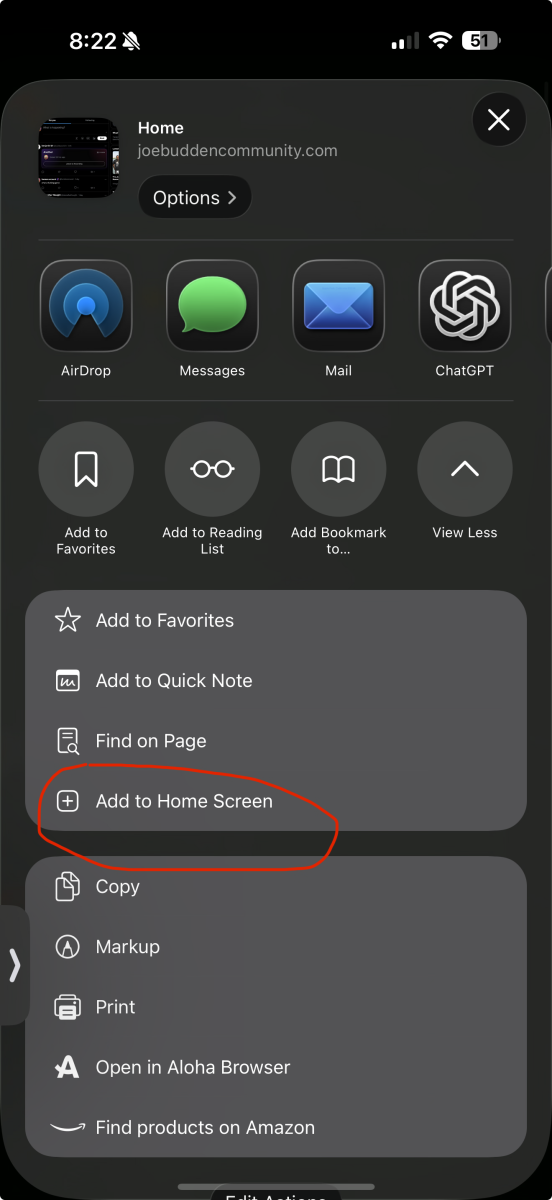
Scroll down and tap Add to Home Screen.
Tap Add.
Open the website in Safari.
Tap the Share button (the square with the up arrow).
Scroll down and tap Add to Home Screen.
Tap Add.